Post
HP Laptops Explained: Choosing the Best Model for Your Needs
Jun
HP Laptops Explained: Choosing the Best Model for Your Needs
Introduction HP Laptops Explained
Choosing the right laptop can significantly impact your productivity, learning experience, entertainment, and overall digital lifestyle. With so many options available, selecting the perfect laptop often feels overwhelming. Fortunately, HP offers one of the most diverse laptop lineups in the market, making it easier for users to find a device tailored to their specific needs.
Whether you’re a student, remote worker, business professional, content creator, or casual user, HP provides laptop families designed for different performance levels, budgets, and use cases. Understanding the differences between HP’s major product lines can help you make a smarter purchasing decision and ensure long-term satisfaction.
HP’s Main Laptop Series
1. HP Pavilion – Best for Everyday Users


The HP Pavilion series is one of HP’s most popular laptop families, offering an excellent balance between performance, affordability, and versatility.
Key Features
- Affordable pricing
- Reliable performance
- Modern design
- Good battery life
- Suitable for multitasking
Best For
- Students
- Home users
- Families
- Office productivity
- Web browsing and streaming
If you need a laptop for daily tasks such as Microsoft Office, online learning, video calls, and entertainment, the Pavilion series is often the best value.
2. HP Envy – Best for Productivity and Creativity


The HP Envy lineup targets users who need more power and premium features without paying flagship prices.
Key Features
- Premium build quality
- High-resolution displays
- Fast processors
- Enhanced multitasking
- Better color accuracy
Best For
- Content creators
- Graphic designers
- Photographers
- Business professionals
- Advanced multitaskers
The Envy series offers a strong balance between performance and affordability for users who require more than basic computing.
3. HP Spectre – HP’s Premium Flagship


The HP Spectre x360 is HP’s flagship premium laptop designed for professionals who want the best combination of design, performance, portability, and innovation.
Key Features
- Premium aluminum construction
- Convertible 2-in-1 design
- Touchscreen support
- Excellent battery life
- High-end displays
- Advanced security features
Best For
- Executives
- Frequent travelers
- Remote workers
- Business professionals
- Premium laptop buyers
The Spectre x360 is ideal for users who want both luxury and productivity in a single device.
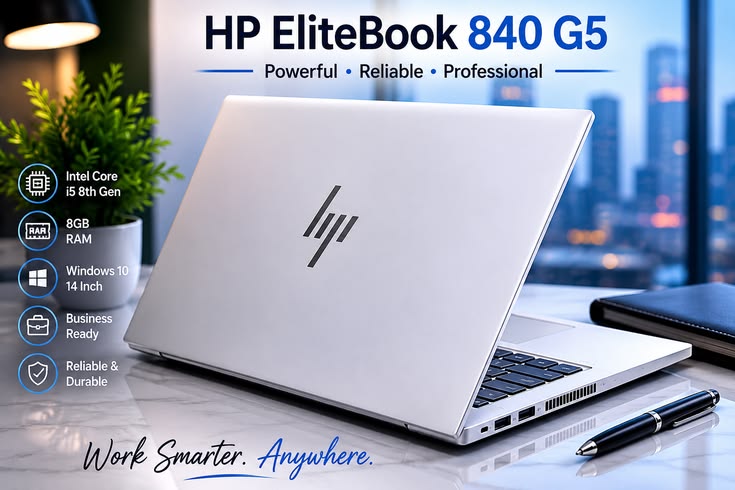
HP EliteBook: The Business Professional’s Choice
The HP EliteBook lineup focuses on enterprise and professional environments.
Advantages
- Enterprise-grade security
- Durable construction
- Lightweight designs
- Excellent keyboard quality
- Advanced collaboration features
Best For
- Corporate employees
- Consultants
- Remote workers
- Business executives
EliteBooks are built to withstand daily professional use while protecting sensitive business information.
HP ZBook: Mobile Workstations for Professionals
The HP ZBook family is designed for users with demanding workloads.
Best For
- Engineers
- Architects
- Video editors
- 3D designers
- Data scientists
Benefits
- Workstation-class performance
- Professional graphics cards
- Large memory capacity
- Advanced cooling systems
ZBooks are ideal for users running resource-intensive software such as AutoCAD, Adobe Premiere Pro, SolidWorks, and other professional applications.
Choosing Based on Your Needs
For Students
Recommended Series:
- HP Pavilion
- HP Pavilion Plus
Suggested Specs:
- Intel Core i5 / AMD Ryzen 5
- 8GB RAM
- 512GB SSD
For Remote Workers
Recommended Series:
- HP EliteBook
- HP Spectre x360
Suggested Specs:
- Intel Core Ultra 5 or Ultra 7
- 16GB RAM
- 512GB SSD
For Business Professionals
Recommended Series:
- HP EliteBook
- HP Spectre
Suggested Specs:
- Intel Core Ultra 7
- 16GB RAM
- 512GB–1TB SSD
For Content Creators
Recommended Series:
- HP Envy
- HP ZBook
Suggested Specs:
- Intel Core Ultra 7 or higher
- 16GB–32GB RAM
- Dedicated graphics
Important Specifications to Consider
Processor
The processor determines overall performance.
- Intel Core i3: Basic tasks
- Intel Core i5: Everyday productivity
- Intel Core i7/Core Ultra 7: Professional multitasking
- Intel Core Ultra 9: Advanced workloads
RAM
- 8GB: Basic use
- 16GB: Recommended for most users
- 32GB+: Professional and creative work
Storage
Choose SSD storage whenever possible.
Recommended capacities:
- 512GB SSD for most users
- 1TB SSD for creators and professionals
Display Size
- 13–14 inch: Best portability
- 15–16 inch: Better productivity and multitasking
Which HP Laptop Offers the Best Value?
For most users, the HP Pavilion Plus provides the best balance of:
- Performance
- Portability
- Display quality
- Battery life
- Price
It is suitable for students, office workers, and everyday users who need reliable performance without overspending.
Conclusion
HP offers one of the most complete laptop ecosystems available today. The Pavilion series is perfect for everyday users and students, the Envy lineup serves creators and advanced users, the Spectre x360 delivers a premium experience for professionals, the EliteBook series excels in business environments, and the ZBook family provides workstation-level power for technical professionals.
By evaluating your workload, budget, portability requirements, and performance needs, you can confidently choose an HP laptop that will support your work, study, entertainment, and productivity goals for years to come.
